Your entire legal office. One browser tab. Ready to license.
Stop juggling Word, Acrobat, and email. One secure browser tab: a courthouse-grade word processor, court-safe PDF redaction, and DKIM-signed delivery — LIVE for the whole firm. Nothing to install.
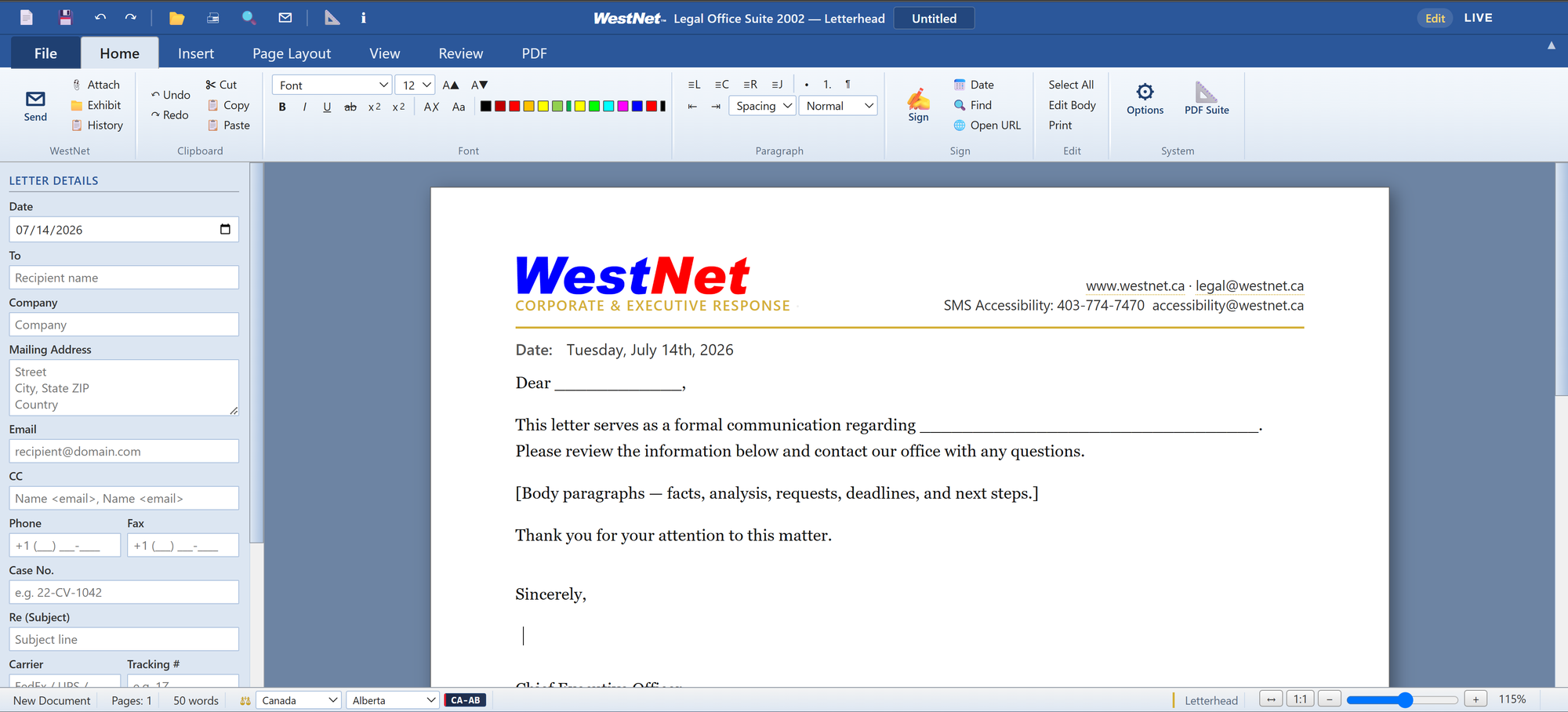
Open it from a link. Edit as a team, in real time.
It runs in the browser — nothing to deploy to workstations. Documents live on your server, so any authorized lawyer or clerk opens the exact same file in seconds, from any machine.
Nothing to install
A pure web application. No desktop software, no per‑machine licences, no IT rollout — staff and counsel just open a link and work. Updates ship instantly for everyone.
Documents live on the server
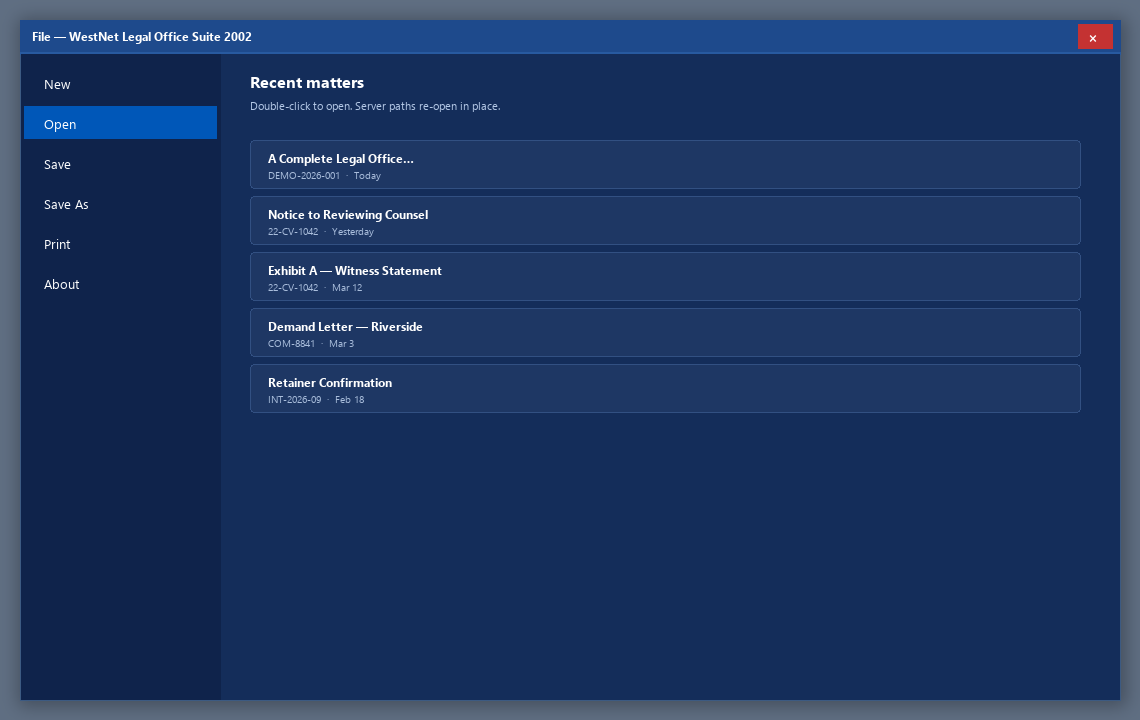
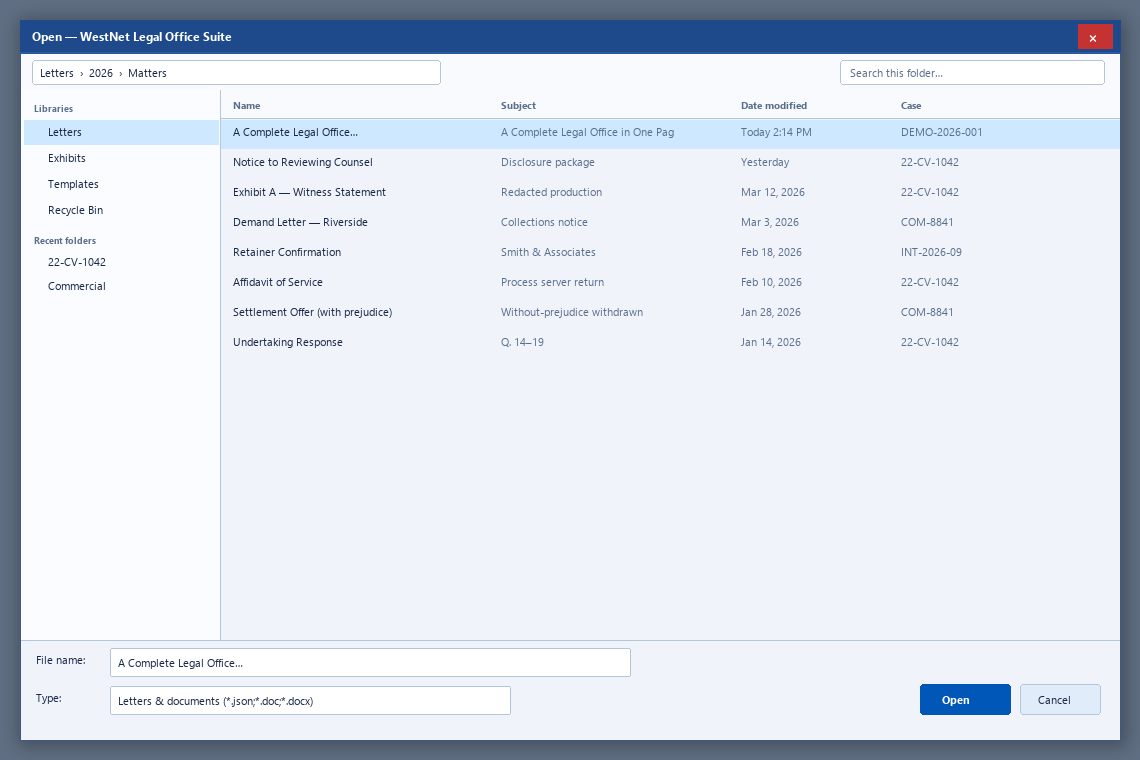
Every letter, exhibit and filing is stored centrally with a Windows‑style file browser. Any authorized user opens a matter from the shared library — no e‑mailing files around.
Real‑time team editing
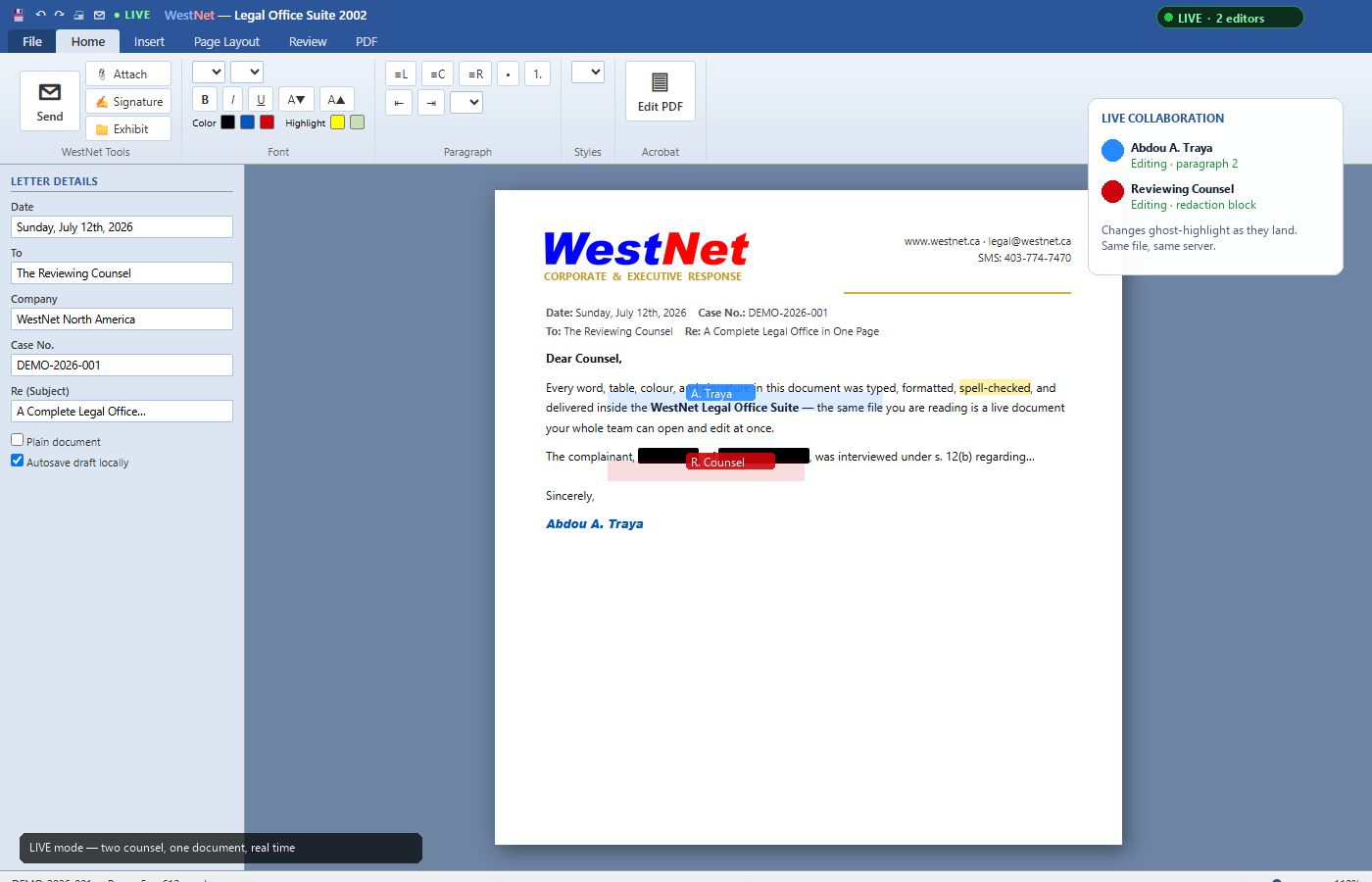
Switch on LIVE mode and two lawyers on two computers edit the same document simultaneously, changes ghost‑highlighted as they land — collaborative drafting, built for a legal office.
Draft. Redact. File. Send. Without leaving the tab.
One system for the work you already do — letters, exhibits, PDF clean-up, citations, and compliant mail — so the firm stops patching five tools together.
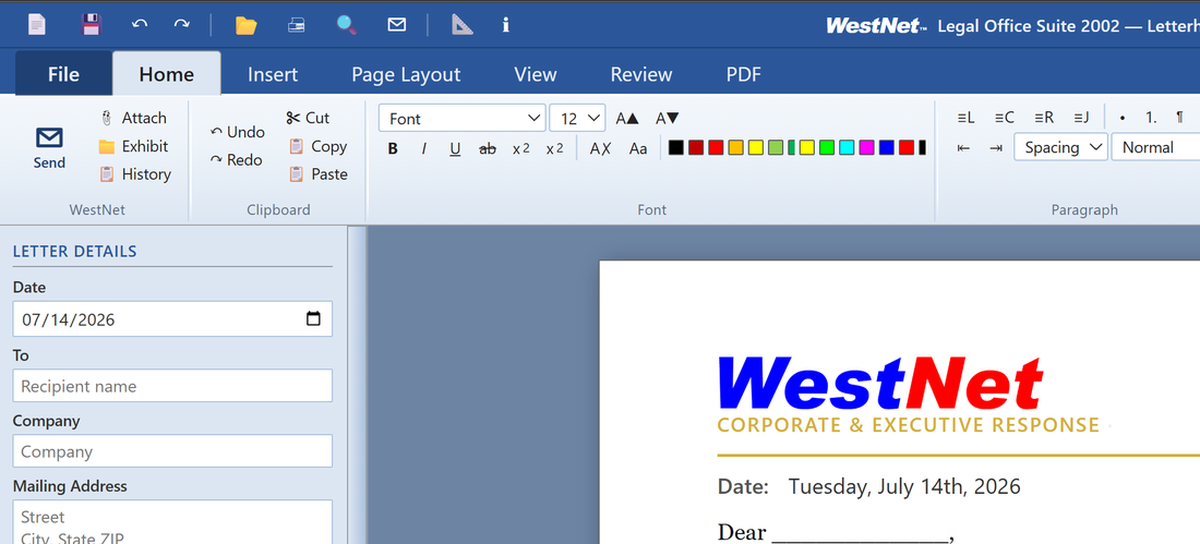
Word Processor
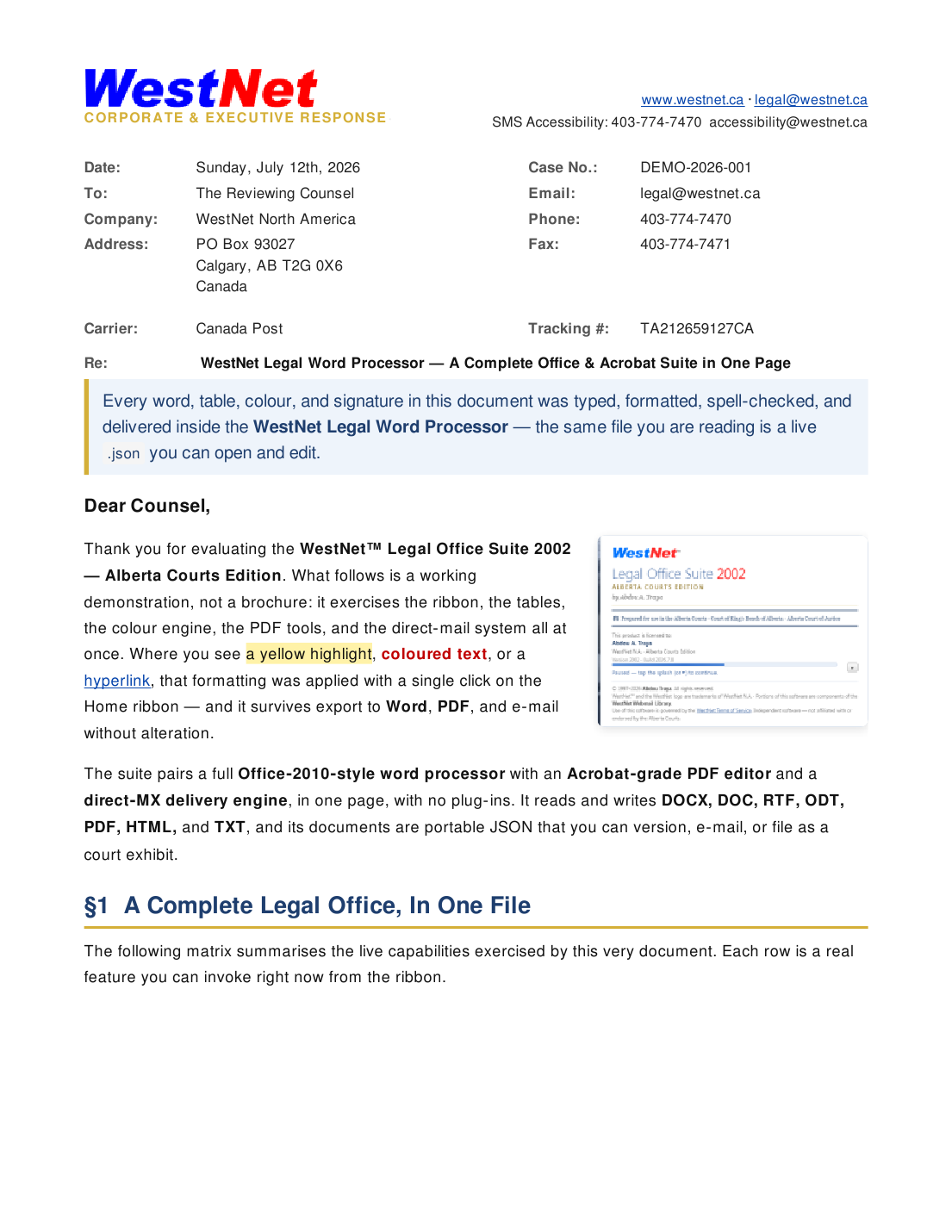
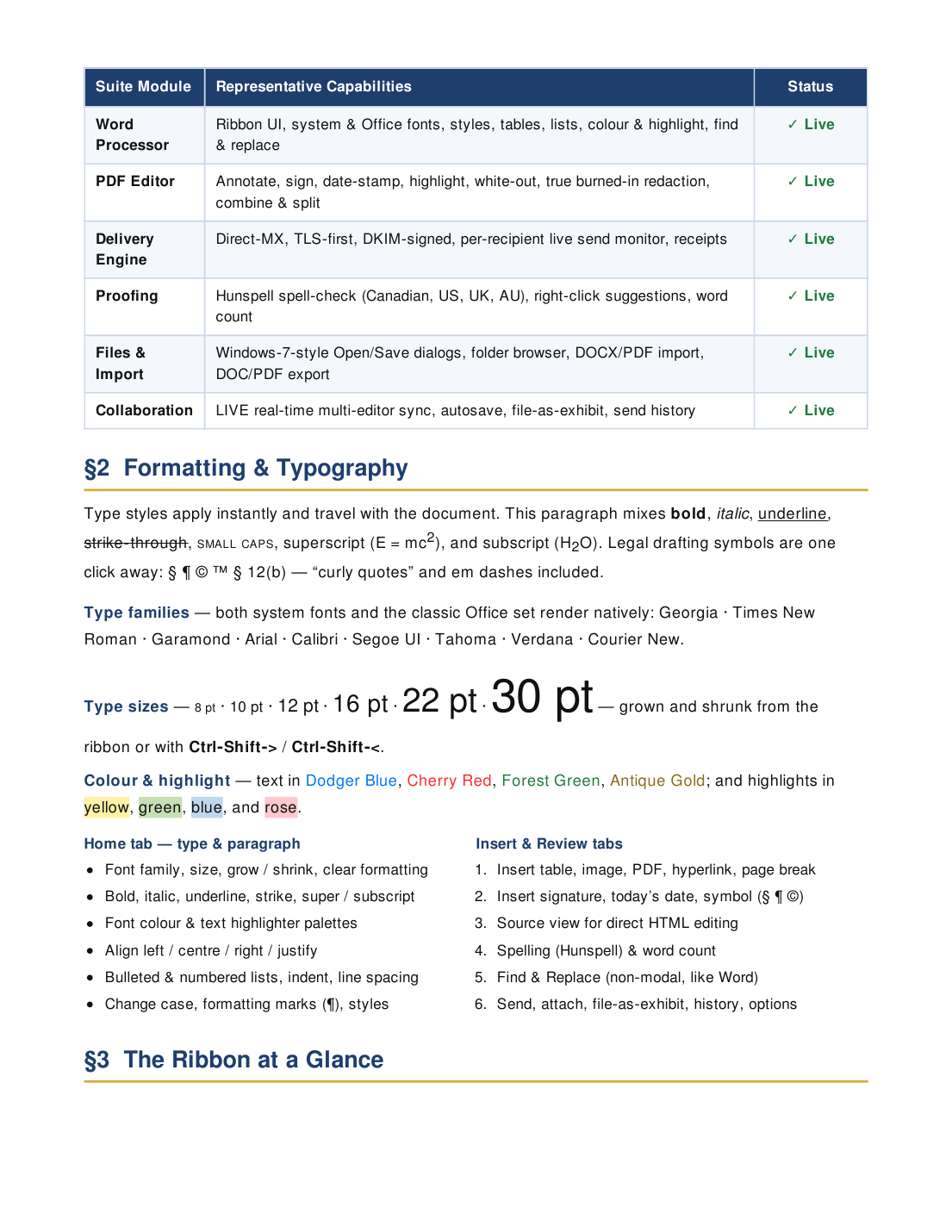
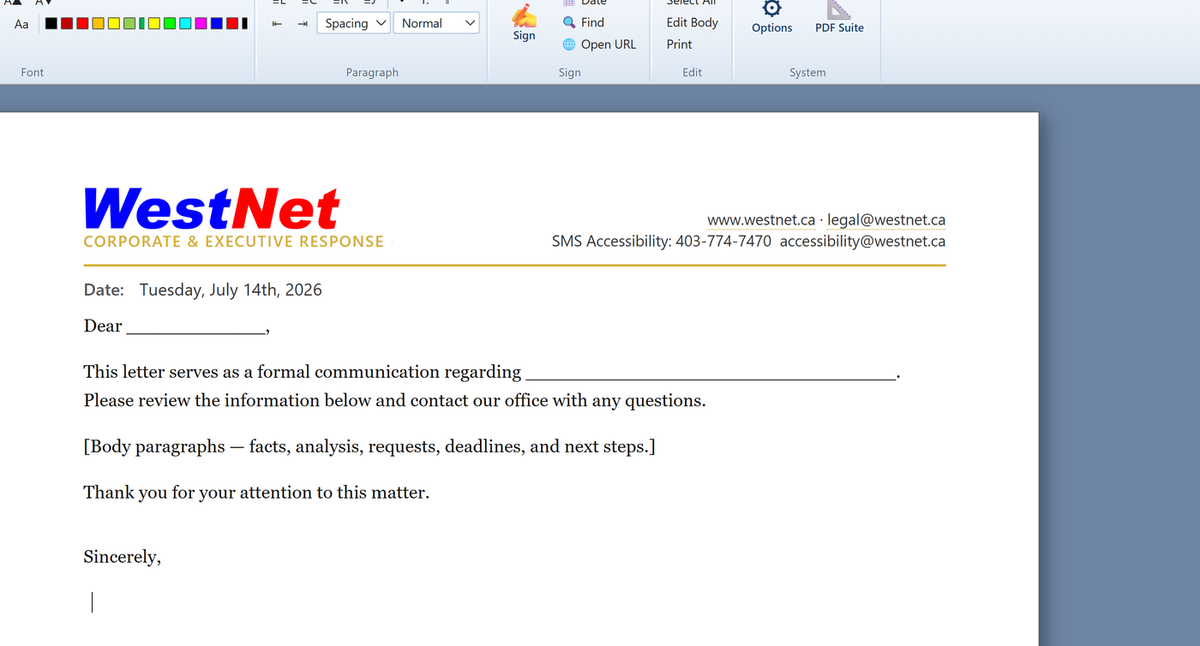
An Office‑2010‑style ribbon with system & Office fonts, styles, tables, lists, colour and highlight, find & replace, and a live word count. Letterhead, meta fields, and signatures compose automatically.
PDF in the Suite
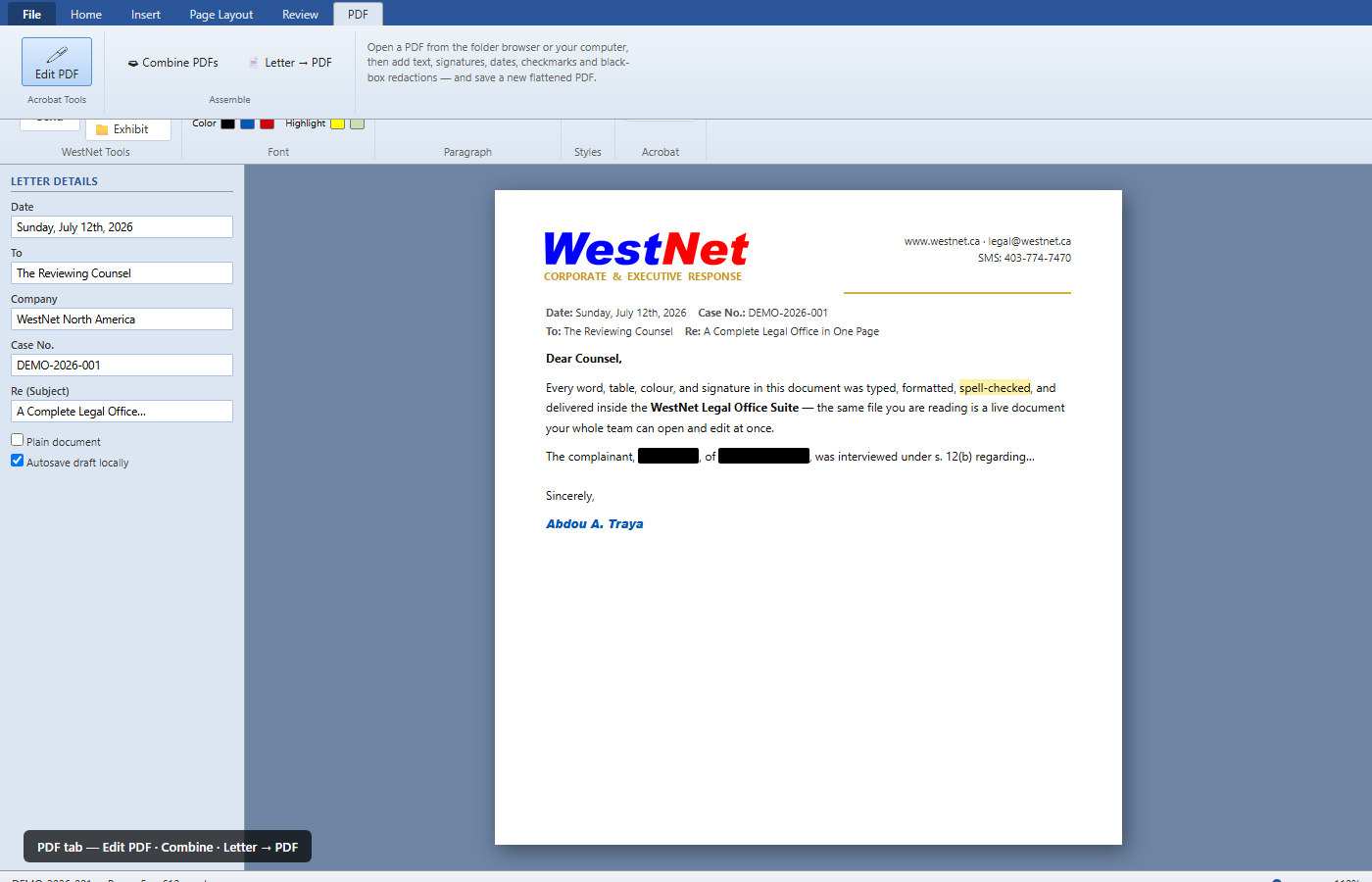
Open PDFs as editable pages. Annotate, sign, date‑stamp, highlight, white‑out, true burned‑in redaction, combine & flatten. Deep edit? WestNet PDF add‑on — Object tool, align, open from URL, Hand pan.
Compliant Delivery
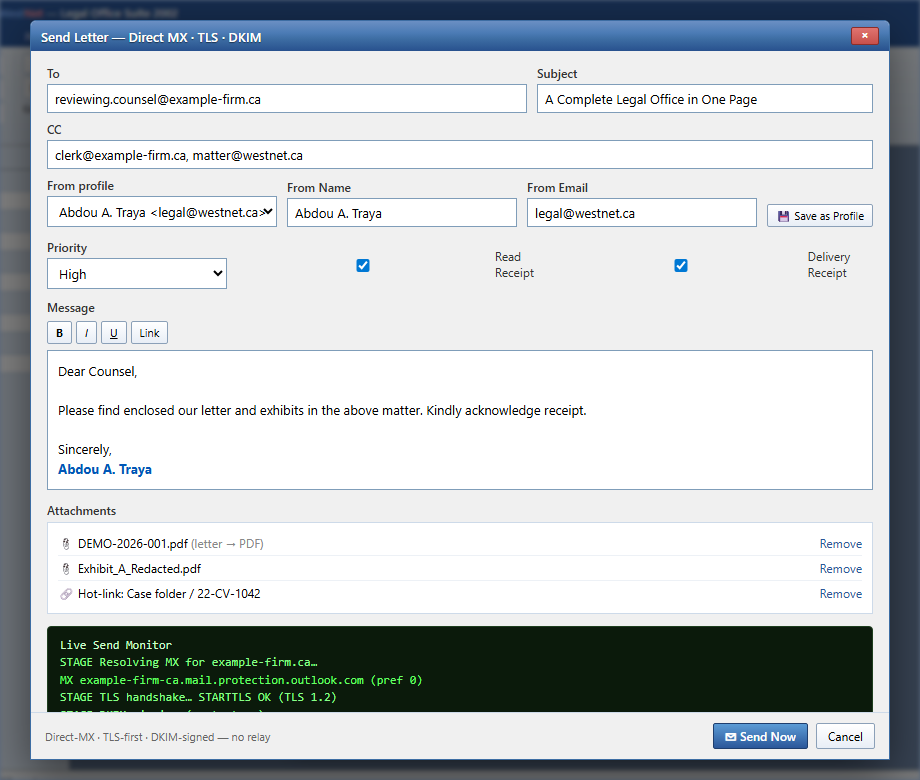
Sends mail itself via direct‑MX, TLS‑first, DKIM‑signed — no relay. A per‑recipient Live Send Monitor streams the SMTP handshake, upload rate, and result in real time.
Proofing
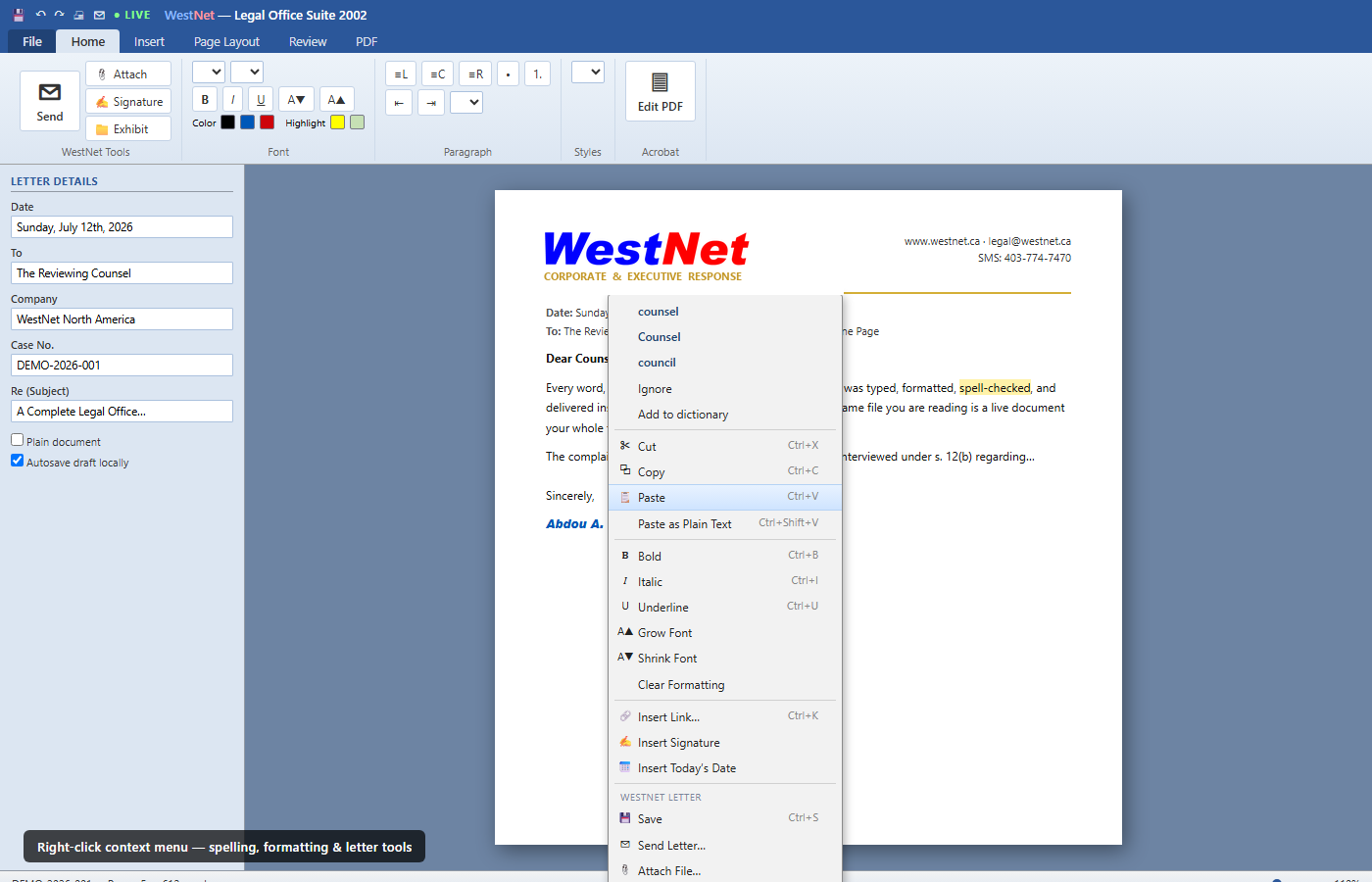
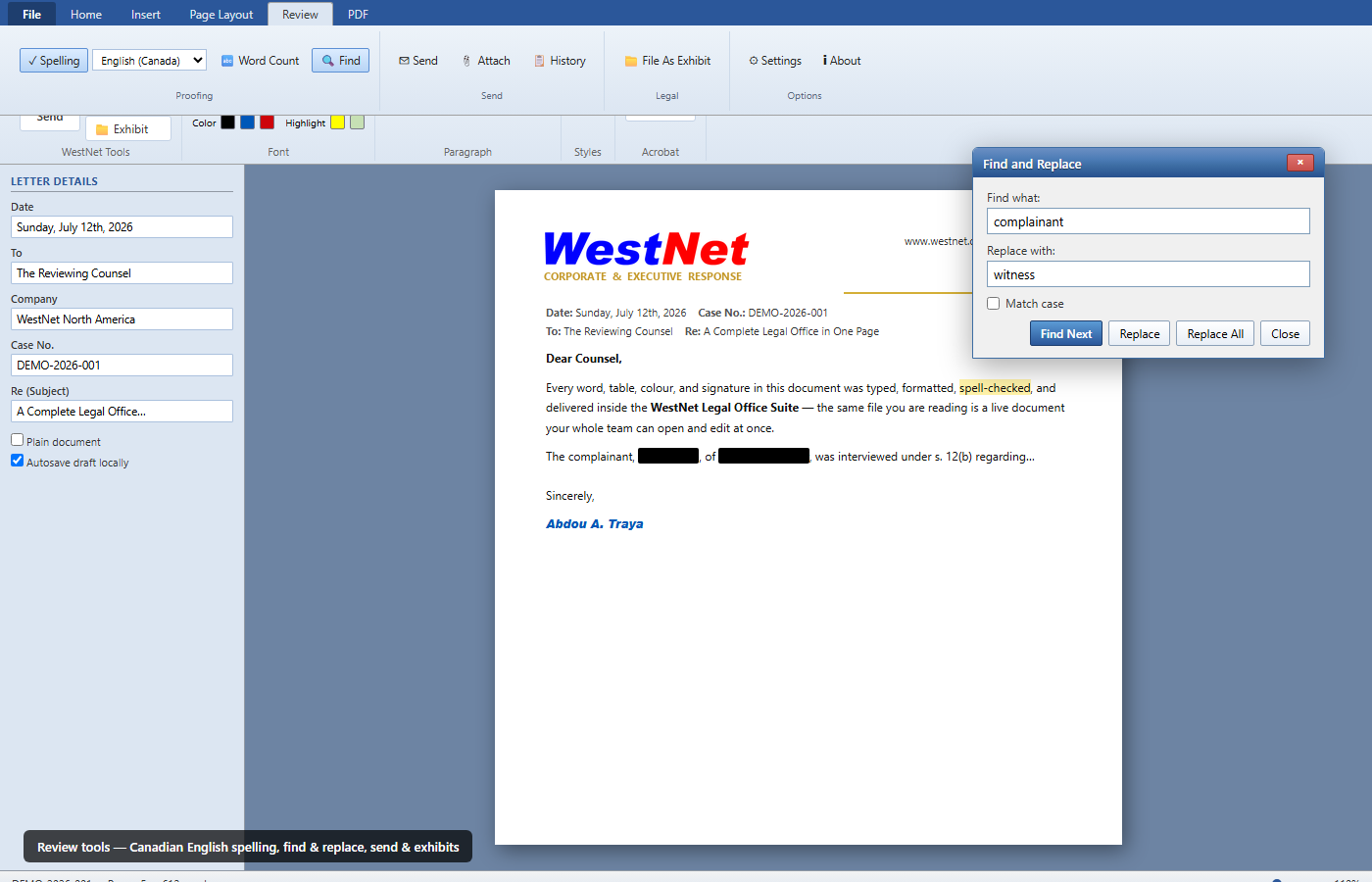
Hunspell spell‑checking — the engine behind LibreOffice and Firefox — defaulting to Canadian English for Alberta practice, with CA, US, UK & AU dictionaries and right‑click corrections.
Files & Interop
Windows‑7‑style Open/Save dialogs with a real folder browser. Reads & writes DOCX, DOC, RTF, ODT, PDF, HTML, and TXT. Copy & paste to and from Microsoft Word cleanly.
Legal Workflow
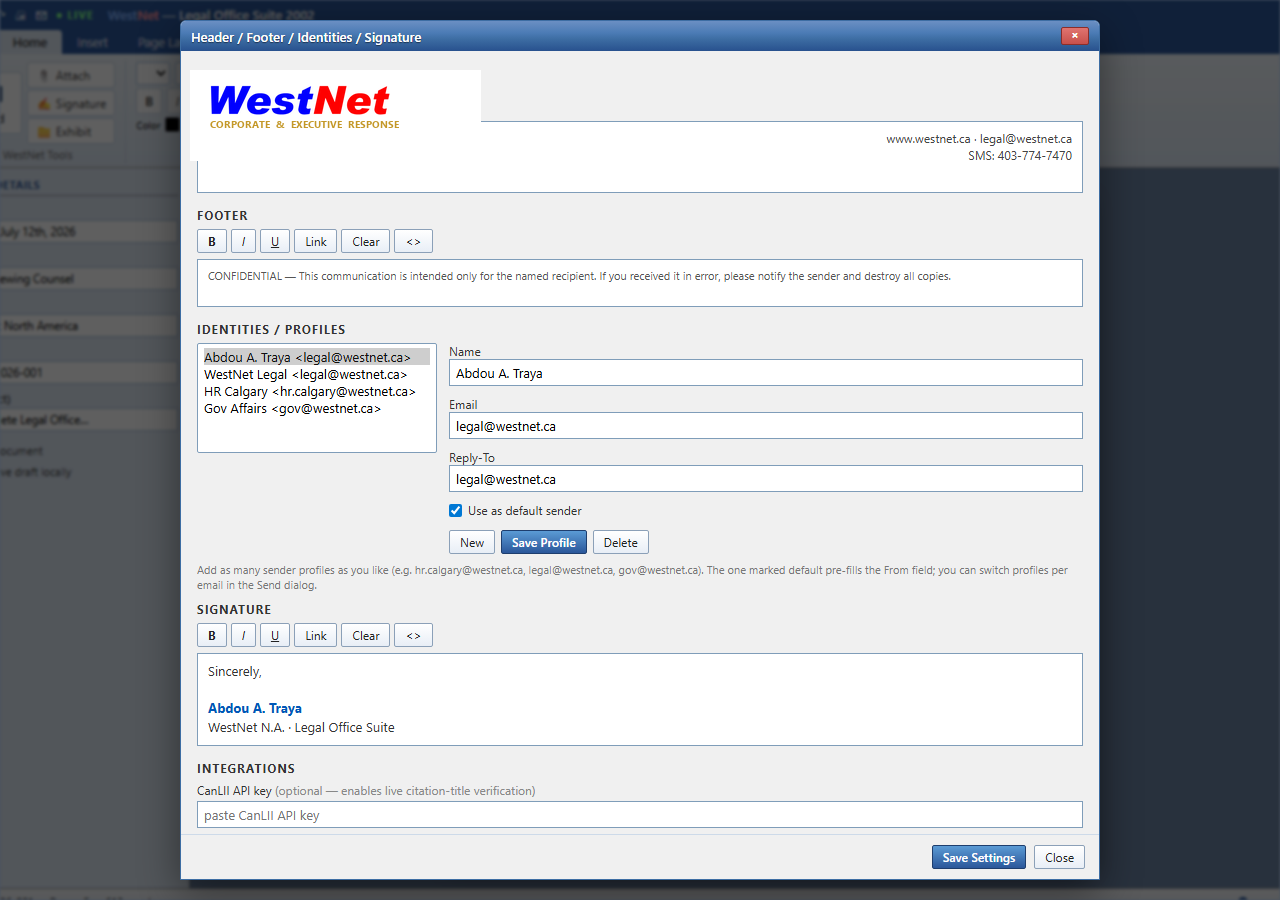
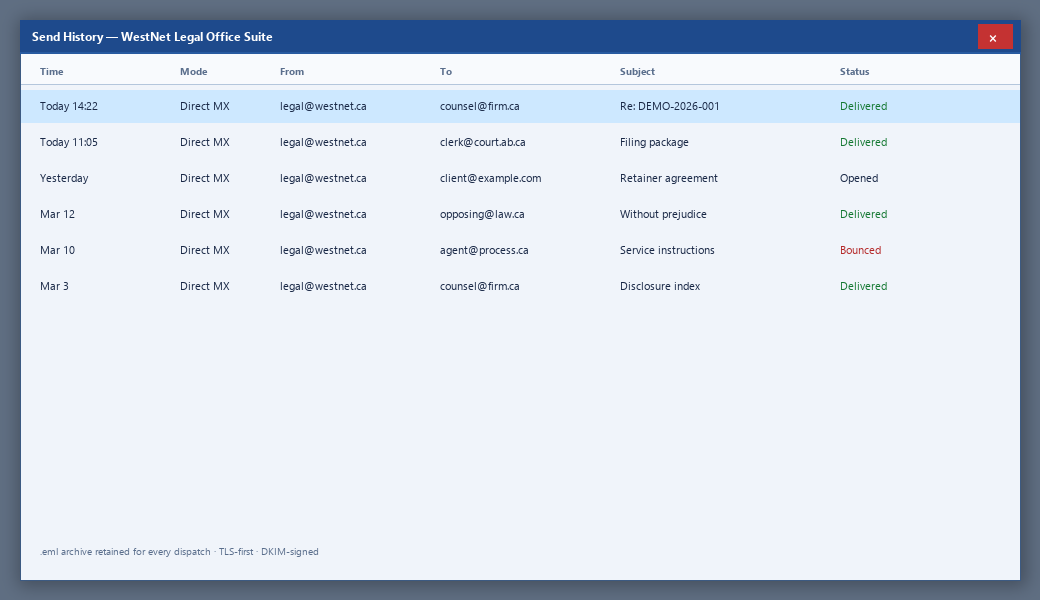
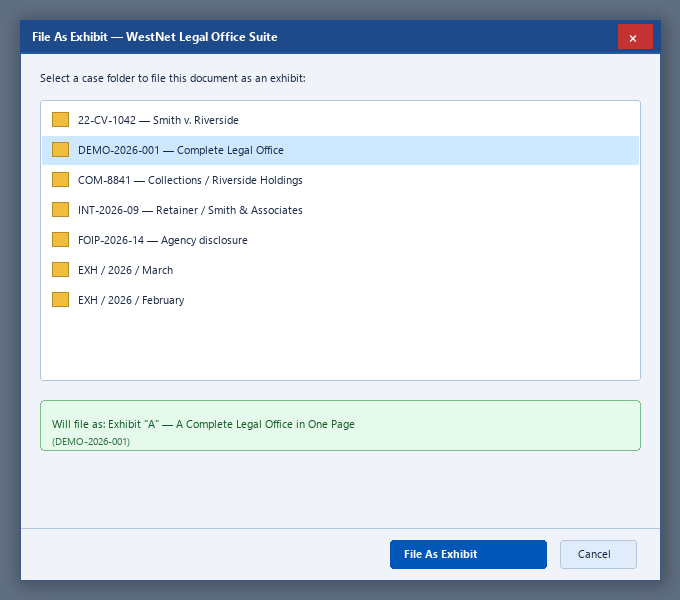
File‑as‑exhibit into case folders, reusable sender profiles, full send history, and an .eml archive of everything dispatched — the practice mechanics, built in.
LIVE Collaboration
Two or more authorized users edit the same document at once (sub‑second sync). Changes ghost‑highlight as they land — no draft tennis around the firm.
Cite Law
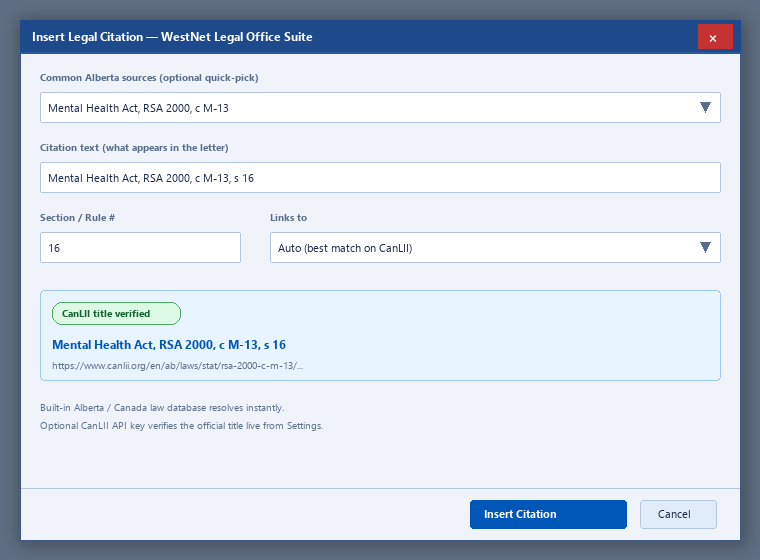
Insert Alberta & Canadian citations linked to CanLII. Quick‑pick statutes and rules, section fields, auto match, optional live title verification.
Your Infrastructure
Self‑host with full source code and keep files on your servers — or run on WestNet. Same clean codebase either way. No spyware, no mystery agents.
Watch how the Suite feels in practice
Filenames are chronological (Reel-01 oldest). Playback order is intentional: professional desk work only. Letterboxed 16:9 — never stretched.
Hint: Muted when this section is on screen. Pick a reel from the list on the right — titles stay in sync with the player.
Naming: WestNet-Legal-Suite-Reel-NN.mp4 where NN is creation order (01 first). Playlist: professional desk work only (lifestyle reel disabled).
One tab instead of five apps and a mess of drafts.
Counsel draft in the Suite. Clerks open the same file. PDFs get burned-in redaction. Mail leaves with DKIM and a live SMTP trace. Self-host the full source, or run on WestNet — built to be trusted on a court file.
Every surface you will actually use
Menus, settings, send, history, PDF tools, exhibits — tap any frame on phone or desktop to open full-size. This is the product, not a concept deck.
Redaction that actually redacts
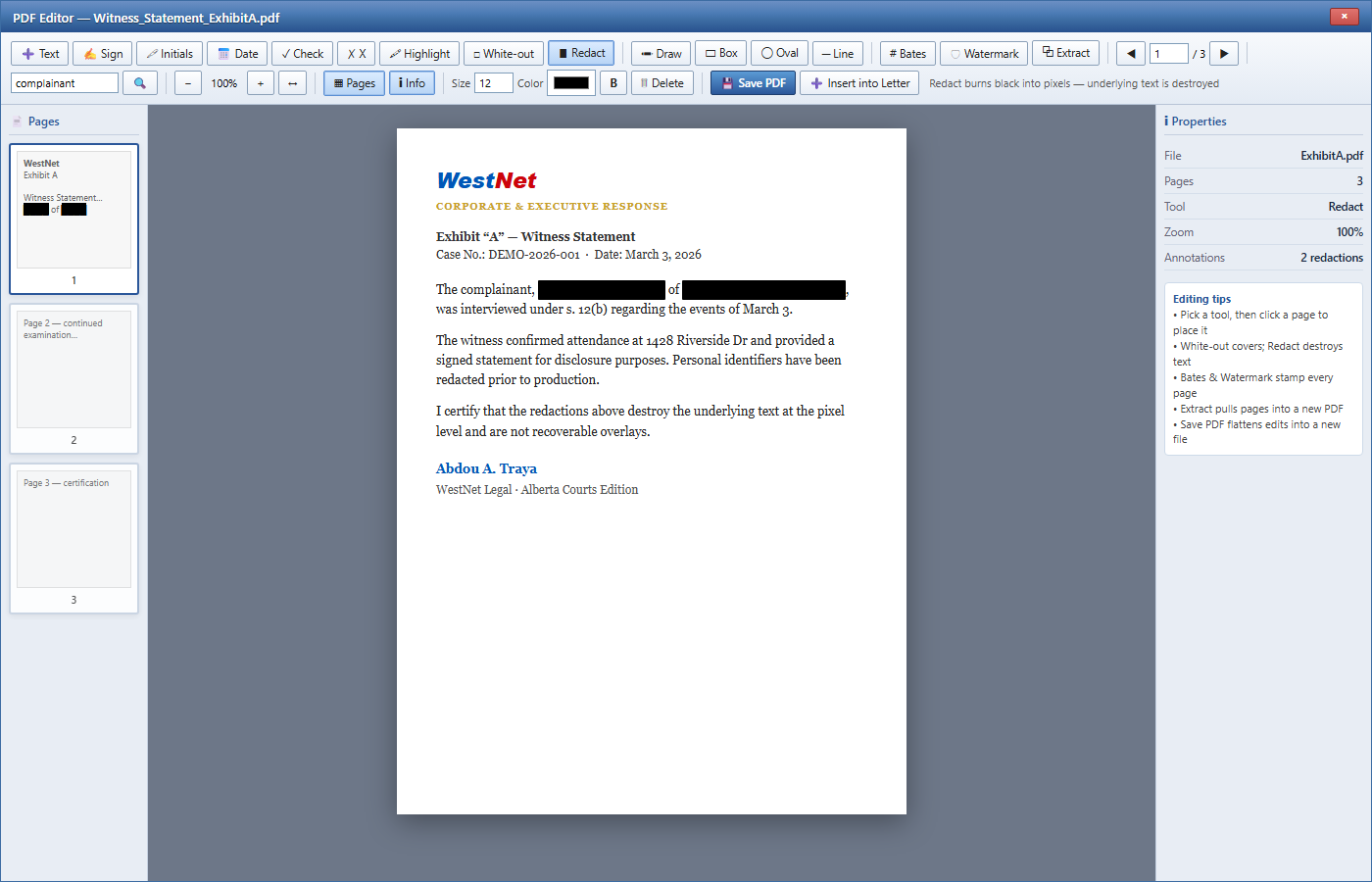
Most tools lay a black box over the text — and it can be lifted in seconds. That is a career-ending failure on a court file.
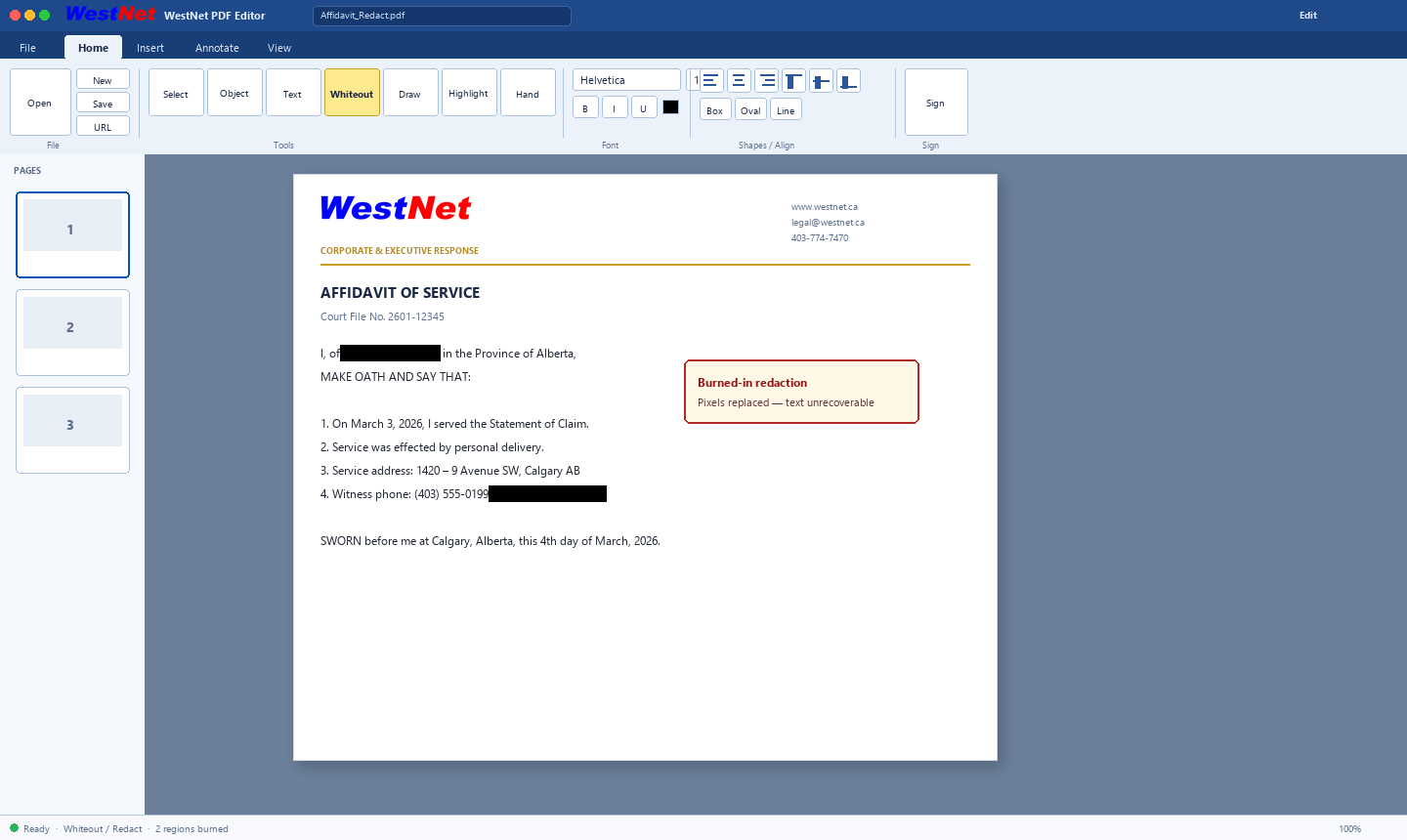
Our editor burns the redaction into the page pixels and discards the underlying text entirely. It cannot be recovered with pdfimages, by copy‑paste, or by moving the box.
- Original text destroyed at the pixel level — verifiably
- Flattened output carries no recoverable layer
- Defensible for disclosure, FOIP, and filing
Exhibit “A” — Witness Statement
The complainant, Jane A. Doe, resides at 1428 Riverside Dr and was interviewed on March 3…
■ Redacted regions are baked in — not an overlay.
The complete capability list
Authoring
- Office‑2010 ribbon: File, Home, Insert, Layout, Review, PDF
- System & Office fonts, grow/shrink, sub/superscript
- Font colour & text highlighter palettes
- Tables, lists, indents, line spacing, styles
- Symbols (§ ¶ ©), insert date, page breaks
- Find & Replace, word count, formatting marks
- Right‑click menu with spelling & formatting
- Clean copy/paste to & from Microsoft Word
- Cite Law — Alberta citations linked to CanLII
PDF & Documents
- Open PDFs as editable pages (Suite tools)
- Text, signature, date, check & cross stamps
- Highlight, white‑out & burned‑in redaction
- Bates numbering & watermarks
- Combine exhibits & extract page ranges
- Import DOCX / DOC / RTF / ODT / PDF
- Export DOC (Word), HTML, TXT & PDF
- Letter → pixel‑perfect PDF in one click
- Add‑on: WestNet PDF Editor — Object+Align, burned redaction, Sign/Date/Initials, smart guides, Hand, Server/This PC/URL, blank & from‑PDF pages, embedded fonts
Delivery, Team & Trust
- Direct‑MX, TLS‑first, DKIM‑signed mail
- Live Send Monitor — real‑time SMTP trace
- Read & delivery receipts, priority flags
- Reusable sender profiles & identities
- File‑as‑exhibit into case folders
- LIVE multi‑user editing (fast server sync)
- Autosave, send history & .eml archive
- Full source on self‑host — no spyware / backdoors
- On‑prem or WestNet‑hosted — your choice
Full source. Your files. Nothing hidden.
Whether you self‑host or run on WestNet, you get a transparent product built for counsel who need to trust the tools they put on a court file.
Full source code
Self‑hosted licences include the complete, unobfuscated source. You own the deployment on your infrastructure — readable, auditable, yours.
Updates that stay yours
Support & updates ship as source and release packages you apply. No silent remote rewrite of your instance without your process.
Files stay local
Self‑hosted: letters, exhibits, and history live on your servers and your disks. Air‑gapped capable. Hosted: on WestNet infrastructure under your licence — not sold or scraped.
No spyware or backdoors
No adware. No telemetry malware. No hidden remote shells. The same clean product whether it runs in your data centre or on ours. Inspect the source when you self‑host.
WestNet‑hosted: we patch, back up, and monitor deliverability for you; your matters remain client work product, not a free data product.

PDF Editor
The Suite already handles practice PDFs. WestNet PDF Editor is the dedicated full editor — rework any matter PDF end‑to‑end in the browser, with fonts that travel in the file.
True edit. Object lift. Align. Flatten.
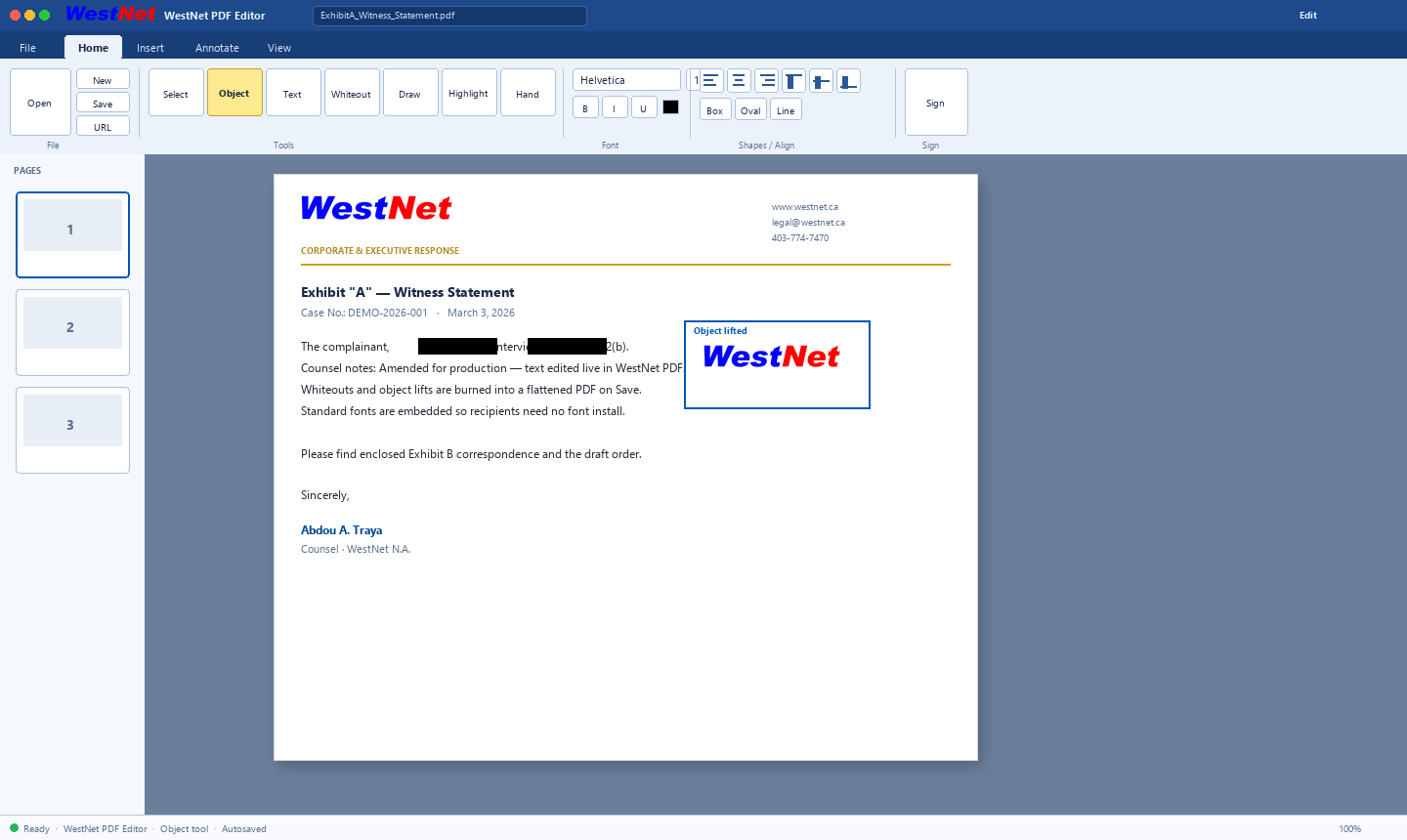
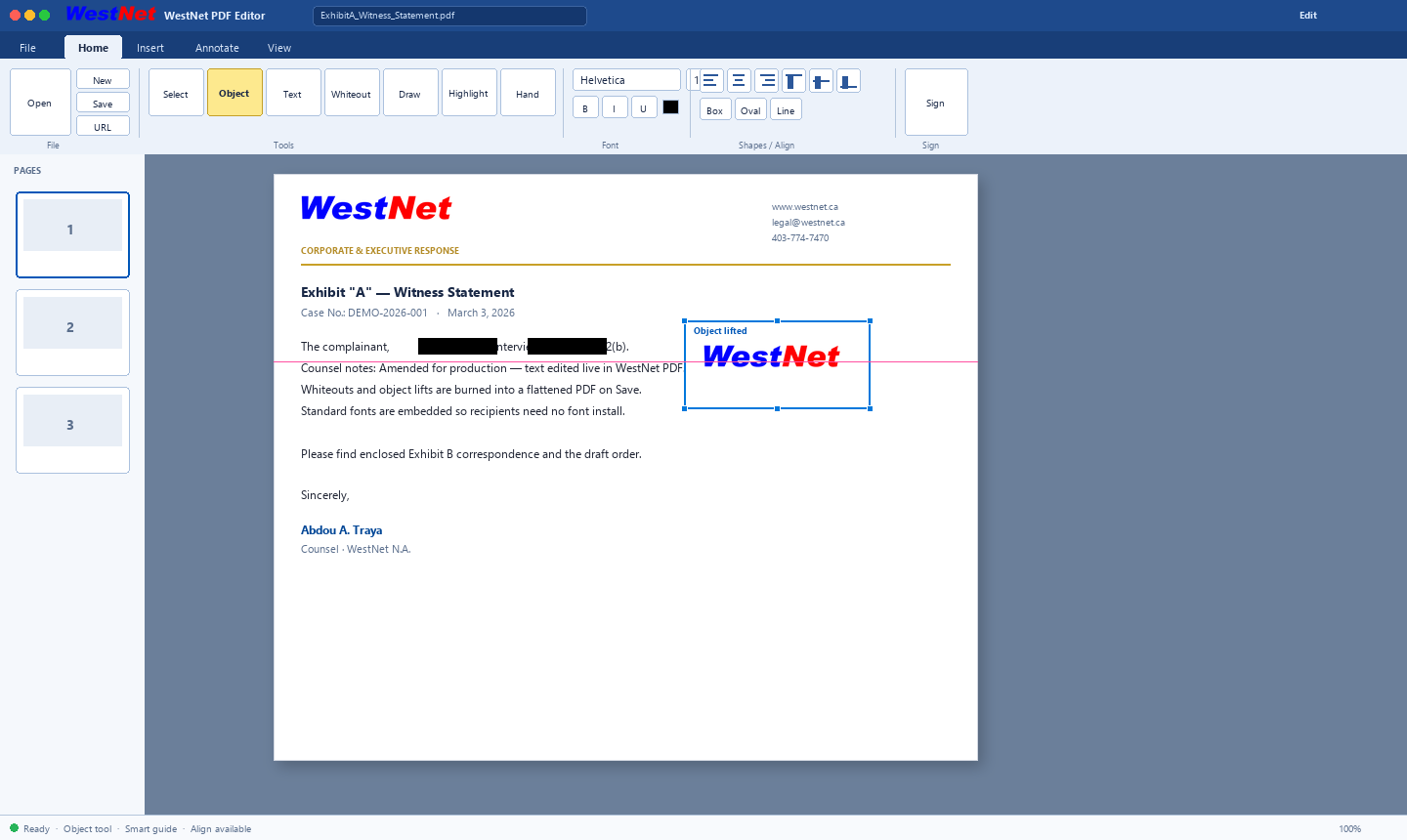
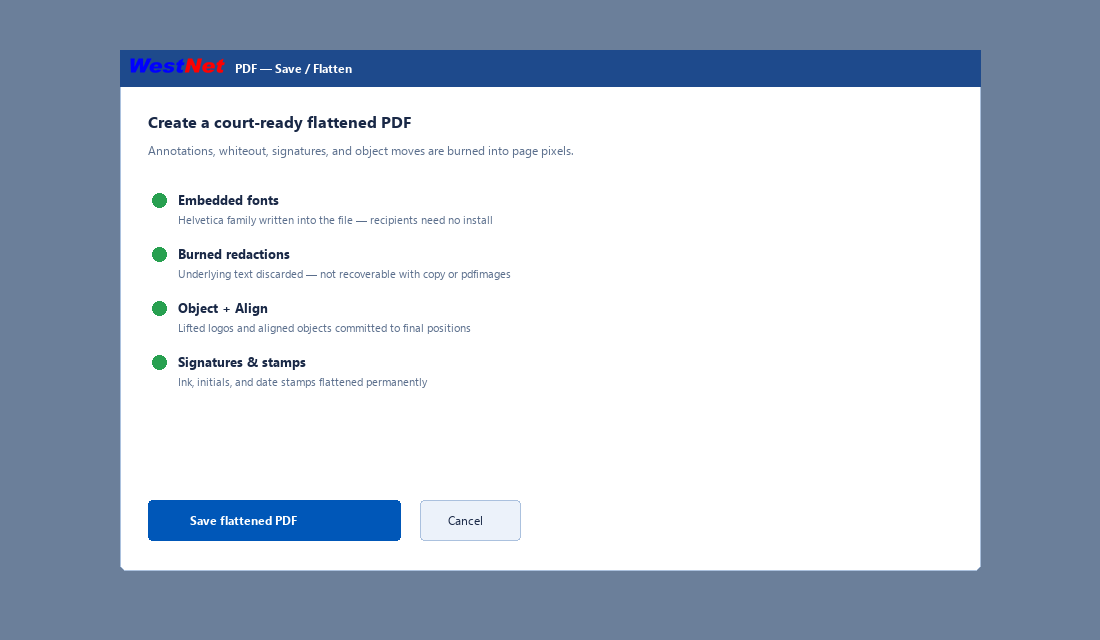
Office‑style ribbon: Select, Object, Text, Whiteout, Draw, Highlight, Hand. Shapes, signature, date & initials stamps, blank pages, pages from another PDF. Align objects L/C/R/T/M/B with smart snap guides. Save flattens with embedded fonts.
- Text on blank pages — click and type; contentEditable overlays that save cleanly
- Object tool — lift logos/blocks; move, resize, delete; whiteout underneath
- Align icons — Left / Center / Right / Top / Middle / Bottom (select 2+ objects)
- Smart guides + Hand pan — snap while dragging; pan large canvases (H)
- Court‑safe redaction — burned into pixels, not a hide‑box
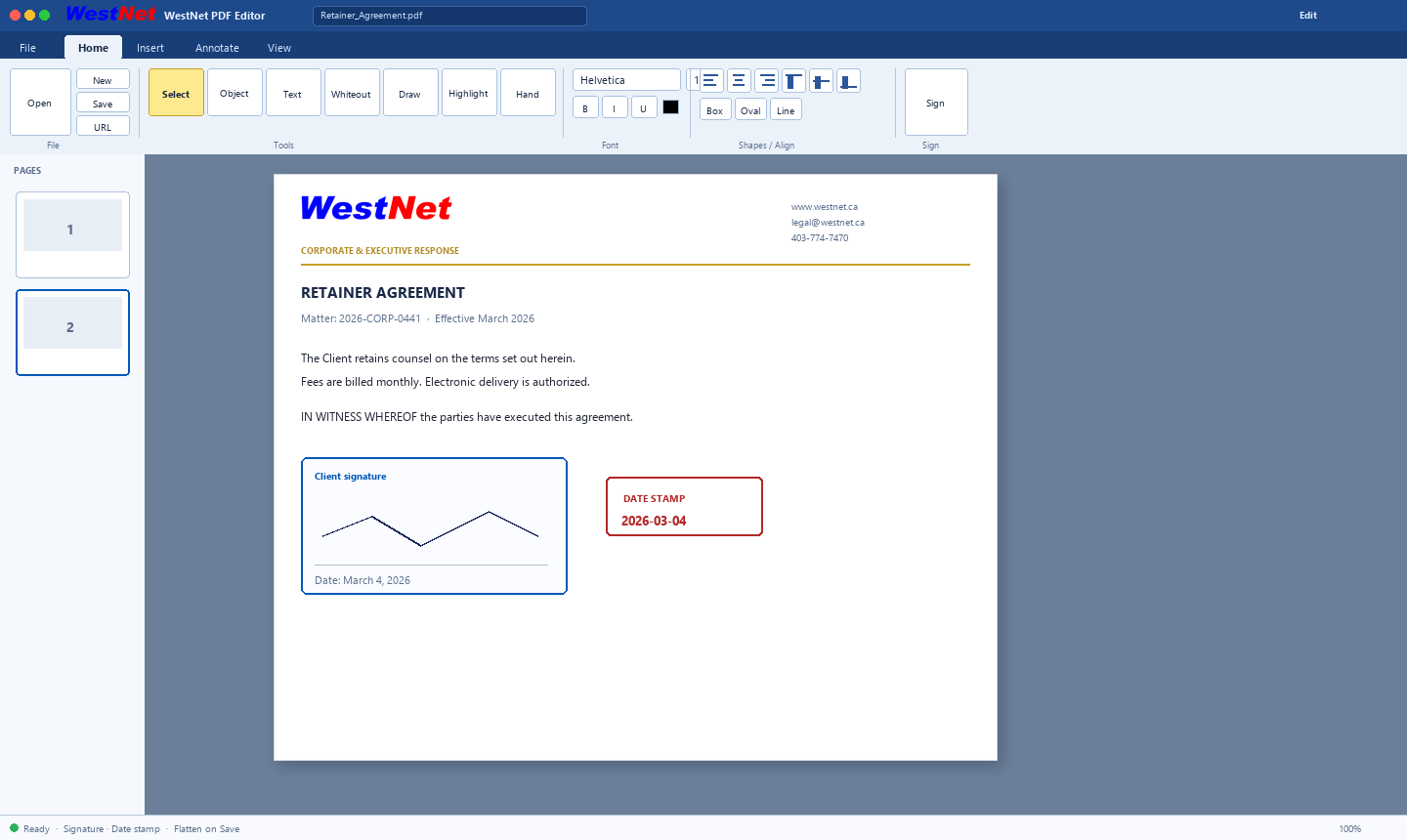
- Sign · Date · Initials · Stamps — then flatten on Save / Save As
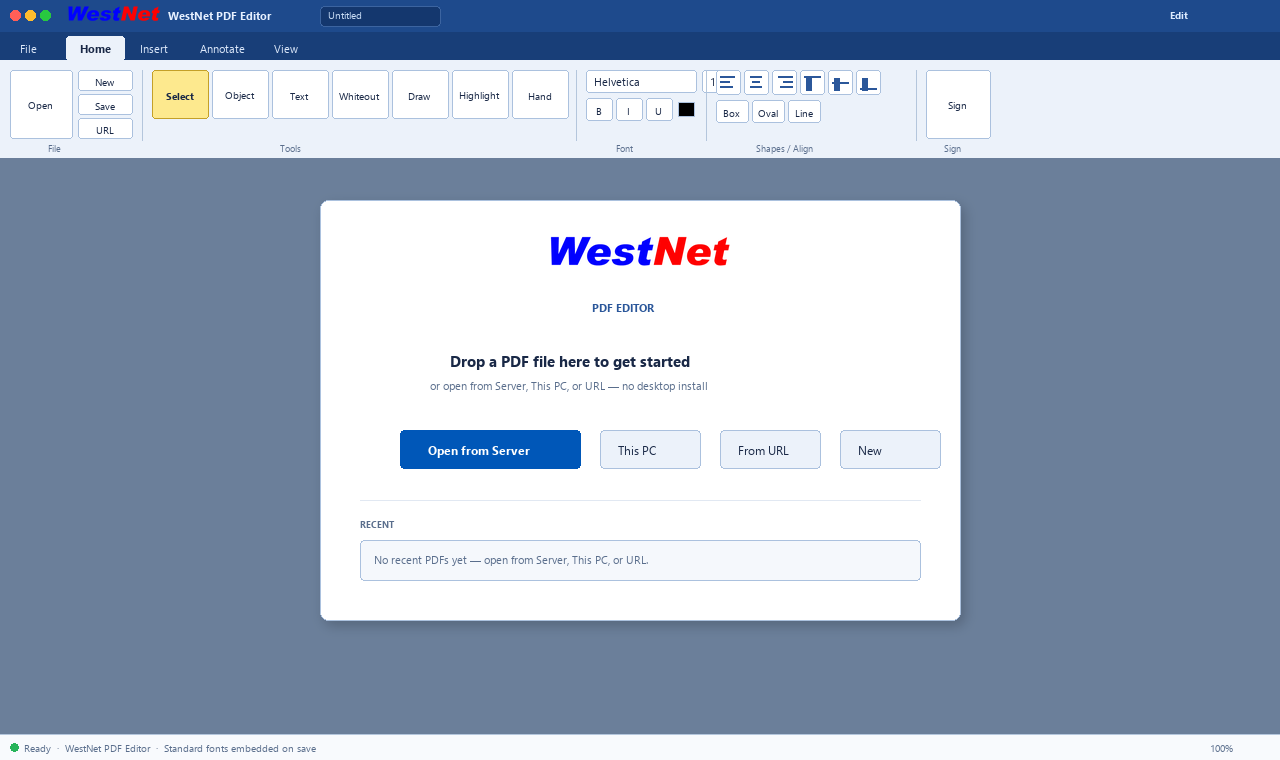
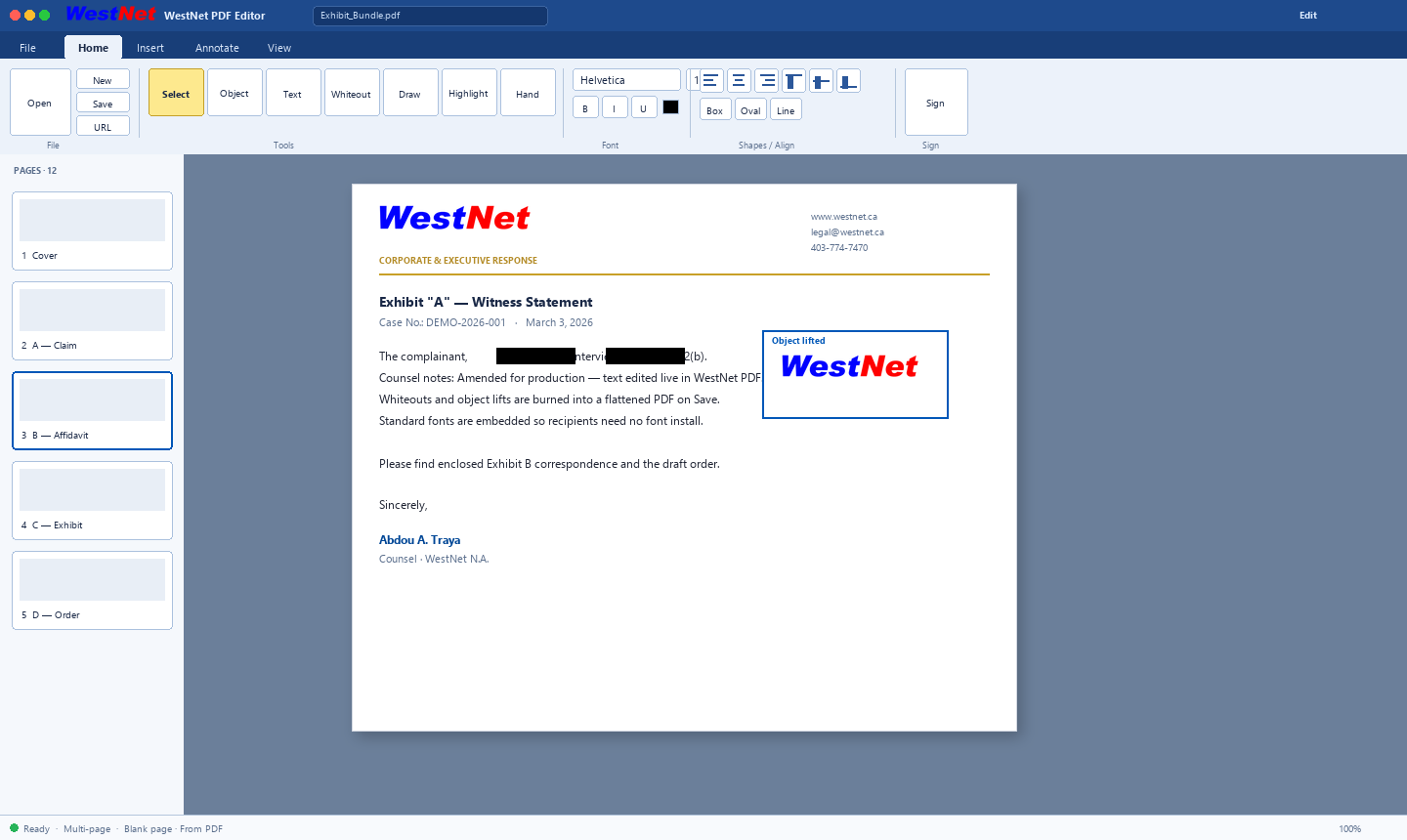
- Open anywhere — Server browser, This PC, or From URL; multi‑page panel
- Insert — image, blank page, pages from another PDF; Find across text
- No font install — Helvetica family embedded for recipients
- Suite link — one click to Letterhead; same WestNet security model
 Click to enlarge
 Click to enlarge
 Click to enlarge
 Click to enlarge
 Click to enlarge
 Click to enlarge
 Click to enlarge
Own the source — or let us run it
Enterprise licences for firms that need control. Self-host keeps full source and local files. WestNet-hosted keeps the same clean codebase without spyware. Ask about packaging with the WestNet PDF add-on.
Self‑Hosted License
- Complete, unobfuscated source code — you keep it
- Perpetual, organization‑wide licence
- Files & history stay on your servers (air‑gapped capable)
- No spyware, adware, or hidden backdoors
- Support & updates as source packages you control
- Your branding, letterhead & domain
- Optional source‑code escrow
WestNet‑Hosted
- Fully managed on WestNet infrastructure
- Same clean codebase — no spyware or backdoors
- Automatic updates & monitored deliverability
- DKIM, TLS & backups handled for you
- Your matters stay work product, not ad data
- Dedicated sub‑domain & branding
- Onboarding & migration assistance
Indicative starting figures in CAD. Multi‑office, government procurement, and volume pricing available. WestNet PDF Editor is offered as a valued add‑on category — ask for Suite + PDF packaging.
Ready when procurement is
Straight answers for firms comparing self-host vs managed — and how to order.
What exactly is included in Legal Office Suite 2002?
A browser-based legal word processor (Office-style ribbon), court-safe burned-in PDF redaction and PDF tools, LIVE multi-user editing, Windows-style file browser, Canadian English proofing, Cite Law, exhibits workflow, and direct-MX DKIM-signed mail with a live SMTP monitor. Optional WestNet PDF add-on for deeper PDF editing.
Self-hosted vs WestNet-hosted — which should we buy?
Self-hosted (from CAD $60,000 perpetual + support): full unobfuscated source, your infrastructure, files on your servers, air-gapped capable. WestNet-hosted (from CAD $18,000/year): we host, patch, back up, and monitor deliverability. Same clean codebase — no spyware or backdoors either way.
Is redaction defensible for FOIP / disclosure?
Yes. Redactions are burned into page pixels and the underlying text is discarded — not a movable black box. Flattened PDF output is designed for court and FOIP production.
How do we order or start a demo?
Use the form below (or the sticky Request a Demo bar). Tell us firm size, self-host vs hosted, seat estimate, and whether you want the WestNet PDF add-on. We typically respond within one business day.
Does mail leave without a relay?
Outbound uses direct-MX, TLS-first delivery with DKIM signing and a per-recipient Live Send Monitor. Full send history and .eml archive are retained.
Ready to order?
Demo first or go straight to licensing. Self-host with source, or let WestNet run it. Multi-office and government procurement welcome.
Request a private demonstration
Tell us firm size, self-host vs WestNet-hosted, and whether you want the WestNet PDF add-on. We arrange a walkthrough and quote — typically within one business day.
WestNet™ · Legal Office Suite 2002 — Legal Word Processor, Court-Safe PDF & DKIM Mail
A WestNet advisor will follow up to schedule your demonstration and prepare licensing options.